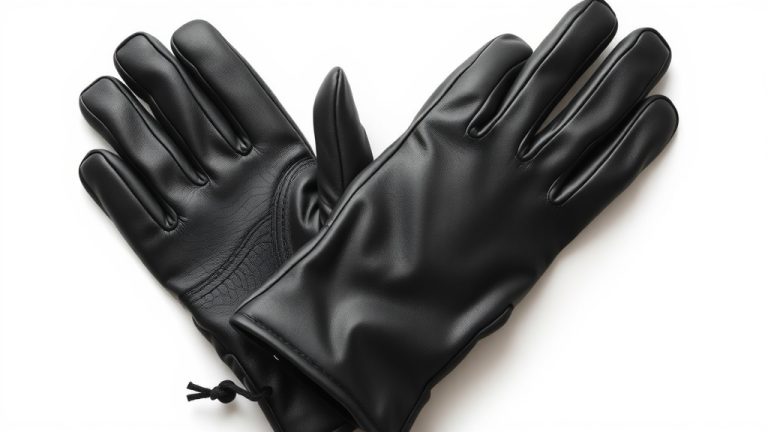
How Texting Gloves Work: A Simple Explanation
Yes, texting gloves work by using special conductive materials on the fingertips. These materials mimic the natural conductivity of your skin. This allows the touchscreen to register your touch, even through the glove. You can finally send that important text without freezing your fingers off!
Many winter gloves simply won’t work with your smartphone. Standard fabrics block the electrical signals your phone needs. Texting gloves are designed to overcome this barrier. We found that different types use various conductive fibers or tips to ensure a good connection.
- Texting gloves use special conductive materials.
- These materials let your touchscreen recognize your touch.
- They work like your skin’s natural electrical signals.
- This means you can text, swipe, and tap.
Let’s walk through exactly how these clever gloves do their magic so you can stay connected and warm this winter.
Understanding How Texting Gloves Connect to Your Phone
You’ve probably wondered how those special gloves keep you connected on a chilly day. It all comes down to a clever trick: mimicking your own skin’s natural ability to interact with your phone’s touchscreen. Your phone doesn’t just see your finger; it senses a tiny electrical field. Your body is a conductor of electricity. When your finger touches the screen, it slightly disrupts this field. This disruption is what your phone registers as a tap or swipe. Standard glove materials, like wool or cotton, are insulators. They block this electrical signal. Texting gloves, on the other hand, use materials that allow this signal to pass through.
The Science Behind the Connection
At its core, touchscreen technology relies on capacitance. Capacitive touchscreens detect changes in the electrical field on the screen’s surface. Your finger, being made of water and salts, is conductive. When you touch the screen, you change the electrical field. This change is detected by the screen’s circuitry. It then translates that change into an action, like opening an app or typing a message. Without a conductive material, your touch simply wouldn’t register. Think of it like trying to talk to someone through a thick wall; the message just doesn’t get through.
What Makes a Glove “Conductive”?
This is where the magic of texting gloves truly lies. Manufacturers embed specific materials into the fingertips and often the palms of these gloves. These materials are chosen because they are electrically conductive. This means they can carry an electrical charge. They act as a bridge, allowing the electrical signal from your finger to reach the touchscreen. This creates a seamless experience, just as if you weren’t wearing gloves at all.
Common Conductive Materials Used
You’ll find a few different approaches when looking at texting gloves. Each aims to provide reliable touch screen functionality. Some use a special thread woven into the fabric. Others might have small, textured patches applied to the fingertips. We found that the goal is always the same: to get that conductive material precisely where your finger meets the screen.
Conductive Thread Weaving
This is a very popular method. Manufacturers weave fine threads made of conductive metal, such as silver or copper, into the fabric of the glove. These threads are usually very thin and often mixed with standard glove materials like acrylic or wool. You might not even see them. They are strategically placed on the tips of the thumb, index finger, and middle finger. These are the digits you use most often for typing and swiping. The thread connects your skin’s electrical properties to the screen.
Conductive Patches or Tips
Another common design involves applying small patches or coatings to the fingertips. These are often made of synthetic materials mixed with conductive particles. Think of it like tiny, flexible rubber tips that have been given electrical superpowers. You might see these as slightly different colored or textured areas on the glove’s fingers. Research suggests these patches offer a good balance of durability and conductivity.
The Role of Metal Fibers
Metal fibers are key ingredients. Silver, in particular, is a highly conductive metal. When used in gloves, even a small amount can make a big difference. The metal helps to efficiently transfer the electrical signal. This is why gloves with silver-threaded fingertips often perform exceptionally well. They can reliably interact with your device. Experts note that the conductivity of the material directly impacts how responsive your touch feels.
How to Ensure Your Gloves Work with Your Touchscreen
Not all gloves that claim to be “touchscreen compatible” perform equally. You want to make sure the gloves you choose will actually let you text or browse without frustration. We’ve looked into what makes them effective.
Look for Specific Conductive Materials
When shopping, read the product descriptions carefully. Look for mentions of conductive threads, silver fibers, or capacitive materials. If a glove just says “touchscreen friendly” without specifics, it might be less reliable. A good description will tell you how it works. For example, some might highlight “conductive yarns” or “polymer-based conductive materials.”
Consider the Placement of Conductive Areas
Think about how you use your phone. Most people use their thumb and index finger for texting. Therefore, gloves with conductive tips on these fingers are usually the most practical. Some gloves offer full-finger conductivity. Others might only have it on a few key spots. The placement can affect your ability to do complex tasks like typing quickly. We found that having conductivity on your thumb and index finger is essential for most smartphone users.
Test Them Out If Possible
If you have the opportunity to try gloves on before buying, do so! Many electronics stores allow this. Simply pick up a display phone and try a few taps and swipes. Does it register your touch smoothly? Does it feel laggy or inaccurate? Your own experience is the best test. If buying online, check reviews for comments on performance with various devices. We noticed that user reviews often highlight how well gloves work with different phone brands and models.
| Feature | Description | Pros | Cons |
|---|---|---|---|
| Conductive Thread | Metal fibers (often silver) woven into fabric. | Good conductivity, often blends well with fabric, discreet. | Can wear out over time with heavy use. |
| Conductive Patches/Tips | Applied material on fingertips (e.g., rubber, polymer). | Durable, can offer good grip, often highly responsive. | Can sometimes feel bulky or less aesthetically pleasing. |
| Full-Finger Conductivity | Conductive material on all fingers and thumb. | Maximum flexibility for various gestures and tasks. | Can be more expensive, might not be necessary for all users. |
Maintaining Your Texting Gloves
To keep your texting gloves working their best, proper care is important. The conductive elements can be sensitive. Always follow the manufacturer’s care instructions. Most can be hand-washed gently. Avoid harsh detergents or machine drying, which can damage the conductive threads or patches. Regular cleaning ensures the conductivity remains strong. A clean surface helps maintain a clear connection to your phone.
Checklist for Choosing the Right Texting Gloves
- Do they specify conductive materials (silver, copper, etc.)?
- Is the conductive material on the fingertips you use most?
- Are there reviews mentioning good touchscreen responsiveness?
- Do they fit comfortably without being too tight or too loose?
- Can you test them or return them if they don’t work well?
Conclusion
You now understand how texting gloves make staying connected possible in the cold. It’s all about using special conductive materials on the fingertips. These materials trick your phone into thinking your bare skin is touching the screen. This allows you to text, swipe, and use your phone without freezing your fingers. By looking for conductive threads or patches and checking placement, you can find the perfect pair. Now you can keep your hands warm and your phone in service all winter long!
Frequently Asked Questions
Can I use any pair of gloves with my phone?
Unfortunately, no. Most regular winter gloves are made of insulating materials like wool or cotton. These materials block the electrical signals your phone’s touchscreen needs to register a touch. You really need gloves with specific conductive elements designed to mimic your skin’s conductivity.
How long do the conductive materials on texting gloves usually last?
The lifespan of conductive materials can vary. Conductive threads, especially those made of metals like silver, can wear down over time with heavy use and frequent washing. Conductive patches or tips tend to be more durable, but can also degrade. Following care instructions helps them last longer.
Do gloves with silver threads work better than others?
Silver is a highly conductive metal, so gloves featuring silver threads often offer excellent responsiveness. However, well-designed gloves with other conductive materials, like copper or specialized synthetic compounds, can also perform very well. The quality of the weave or patch is just as important as the material itself.
What if my phone’s screen is cracked? Will texting gloves still work?
A cracked screen can sometimes interfere with the touchscreen’s ability to accurately detect touch, even with texting gloves. The capacitive touch system relies on a smooth, uninterrupted surface to read the electrical field changes. While the conductive material in your gloves will still send a signal, the damaged screen might not register it correctly.
Are there any downsides to wearing texting gloves?
Generally, the benefits of warmth and functionality outweigh the downsides. Some users find that certain glove designs can feel slightly less precise for very fine touch actions compared to bare fingers. Also, the conductive elements may wear out over time, requiring replacement. However, for everyday use in cold weather, they are a fantastic solution.