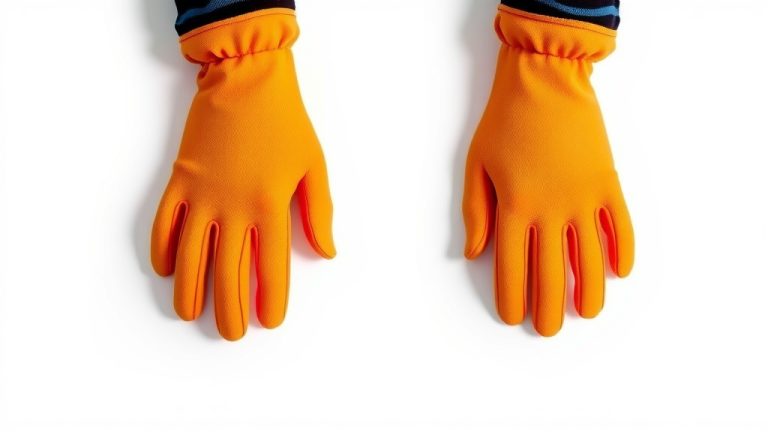
How Phone Gloves Work: Touchscreen Tech Explained
Phone gloves work by using special conductive materials in the fingertips. These materials trick your phone’s touchscreen into thinking a bare finger is making contact. This allows you to use your smartphone even when wearing regular gloves. It’s a clever way to stay connected in the cold!
Your phone’s screen is designed to respond to the natural electrical conductivity of your skin. Without it, the screen won’t register your touch. Phone gloves bridge this gap with tiny conductive threads woven into the fabric. This makes them feel just like your own fingers to your device.
- Phone gloves have conductive fingertips.
- These fingertips mimic your skin’s electrical signal.
- This allows your phone to register touch input.
- Many types of gloves can be modified for touchscreens.
- Look for gloves specifically designed for this purpose.
Let’s walk through exactly how these handy gloves make your touchscreen friendly, so you can ditch the frustration and stay warm!
Understanding How Phone Gloves Make Your Screen Responsive
Your phone’s touchscreen is a marvel of modern technology. It relies on a tiny electrical charge. Your skin naturally carries this charge. When you touch the screen, it detects the change. This is how it knows where and when you’re tapping. Regular gloves block this connection. They act as an electrical insulator. Phone gloves, however, are designed to overcome this. They have special materials in the fingertips. These materials mimic the electrical properties of your skin.
The Science Behind Touchscreen Gloves
Most modern smartphones use capacitive touchscreens. These screens have a layer that holds a constant electrical charge. When your conductive finger touches the screen, it draws a tiny amount of this charge. This change in capacitance is detected by the screen. It registers as a touch input. Think of it like a tiny, invisible circuit being completed. Your bare finger closes the circuit. A regular glove, made of wool or cotton, breaks that circuit.
Conductive Materials: The Key Ingredient
Phone gloves incorporate conductive materials. These are often tiny metallic threads woven into the fabric. Common metals include silver, copper, or nickel. These threads are strategically placed in the fingertips. Sometimes, a special conductive coating is applied. This coating allows the electrical signal from your finger to pass through. The glove material itself doesn’t need to be conductive everywhere. Only the parts touching the screen do. This is why you’ll often see a different texture or color on the fingertips. It’s a smart design choice for functionality.
How the Signal Gets Through
The conductive threads in the glove fingertips act as an extension of your own conductivity. When you touch your phone’s screen with a gloved finger, the conductive material makes contact. This material then draws the electrical charge from the screen. It essentially pretends to be your finger. Your phone detects this change in electrical capacitance. It registers the touch just as it would with your bare skin. It’s a clever way to trick the technology into working with your gloves.
Types of Phone Gloves Available
You’re not limited to just one style of glove for touchscreen use. There are several options to keep your hands warm and connected. Some gloves are made entirely of conductive material. Others have specific patches or threads on the fingertips. This means you can find a style that suits your needs and preferences. You might even be able to modify existing gloves.
Gloves Specifically Designed for Touchscreens
The most common type you’ll find are gloves explicitly marketed as “touchscreen gloves” or “smartphone gloves.” These are engineered from the ground up for this purpose. They often use a blend of materials. Some might have a knitted acrylic base with conductive threads woven in. Others could be made from a soft, warm material with a special conductive coating on the fingertips. We found that these are generally the most reliable option. They offer a good balance of warmth and functionality.
DIY Modifications for Regular Gloves
For the crafty or budget-conscious, there are ways to make your existing gloves work. You can purchase kits that contain conductive thread and a needle. You can then hand-sew these threads into the fingertips of your favorite winter gloves. Some kits also offer conductive fabric paint or patches you can iron on. While this can be a cost-effective solution, the results can vary. We found that the effectiveness often depends on the quality of the materials and how well they are applied. Ensure the conductive material makes good contact with your skin and the screen.
Pros and Cons of DIY
The main advantage of a DIY approach is customization. You can choose the gloves you love and add the touchscreen capability. It’s also often cheaper than buying new specialized gloves. However, the cons are worth considering. The conductive threads might wear out faster with hand-sewing. The application might not be as uniform as factory-made gloves. This can lead to inconsistent touch registration. Plus, it takes extra time and effort. If you need reliable performance, buying dedicated touchscreen gloves is usually the better path.
What to Look For in Touchscreen Gloves
When you’re shopping for phone gloves, a few key features can help you choose the best pair. You want gloves that keep you warm while also allowing easy access to your device. Think about where and how often you’ll be using them. This will guide your decision-making process.
Material and Warmth
Consider the primary material of the glove. Is it wool, fleece, acrylic, or a blend? Wool and fleece offer excellent warmth. Acrylic blends can also be very cozy. For very cold climates, you might want thicker gloves. Just be aware that thicker materials can sometimes reduce the sensitivity of the touchscreen. Some gloves offer different levels of insulation. This can be helpful for different activities. For example, you might want lighter gloves for running and warmer ones for everyday use.
Conductive Fingertips and Coverage
Pay close attention to how the conductivity is integrated. Are there small conductive threads woven in? Is there a special coating? Some gloves have conductive material on just one or two fingertips. Others have it on all of them. Gloves with conductive material on the thumb and index finger are very common. This is often enough for most tasks. However, if you find yourself needing to use other fingers, look for gloves with more extensive coverage. We found that gloves with conductivity on multiple fingers offer more versatility. They make typing and navigating feel more natural.
Fit and Dexterity
A good fit is essential for any glove. For touchscreen gloves, it’s even more important. The glove should fit snugly but not be too tight. A tight fit can restrict blood flow, making your fingers colder. It can also make the conductive material press too hard against the screen, potentially causing issues. You want to be able to move your fingers freely. Good dexterity means you can perform tasks like typing or swiping with ease. Try them on if possible. Ensure you can still feel the texture of the screen through the glove.
Durability and Care
Check the care instructions for the gloves. Some conductive materials may require special washing. Hand-washing is often recommended to preserve the conductive properties. Avoid harsh detergents or machine drying, as these can damage the delicate threads or coatings. We found that gloves that are easy to care for tend to last longer. Reading reviews can give you an idea of how well a particular pair holds up over time. Durability is key to getting your money’s worth.
Here’s a quick checklist to help you choose:
- Are they warm enough for your climate?
- Is the conductive material clearly marked?
- Does the conductivity cover the fingers you use most?
- Do they fit comfortably and allow finger movement?
- Are the care instructions manageable for you?
- Do reviews suggest good durability?
Conclusion
You now understand how those clever phone gloves make your touchscreen responsive. It all comes down to conductive materials mimicking your skin’s natural electrical signal. Whether you choose a pair made specifically for touchscreens or decide to DIY a modification, the goal is the same: to keep your hands warm and your phone accessible. Don’t let the cold stop you from staying connected! Your next step is to assess your needs and find the perfect pair of touchscreen gloves to get you through the chilly season.
Frequently Asked Questions
Can any gloves work with a smartphone?
No, not all gloves will work. Your phone’s touchscreen needs an electrical connection that regular gloves made of insulating materials like wool or cotton block. Only gloves with special conductive elements in the fingertips can interact with the capacitive touchscreen.
What makes the fingertips conductive?
The fingertips of phone gloves contain conductive threads, often made of metals like silver or copper, or they might have a special conductive coating. These materials allow the glove to mimic the electrical conductivity of your bare skin, so your phone registers a touch.
How do I know if a glove is conductive?
Gloves designed for touchscreens are usually labeled as such. You’ll often see a description mentioning “touchscreen compatible” or “smartphone gloves.” Additionally, the fingertips might have a different texture, color, or visible metallic threads, indicating the presence of conductive material.
Will thick winter gloves still work with phone gloves features?
Some thick winter gloves can be modified or come with touchscreen compatibility. However, excessive thickness can sometimes reduce sensitivity. It’s a trade-off between warmth and how precisely the glove can register your touch. Look for gloves that balance both.
How long do the conductive properties of phone gloves last?
The lifespan of the conductive properties depends on the glove’s construction and how you care for them. Frequent washing, especially in a machine, can wear down the conductive threads or coating over time. Gentle hand-washing and air-drying usually help them last longer.