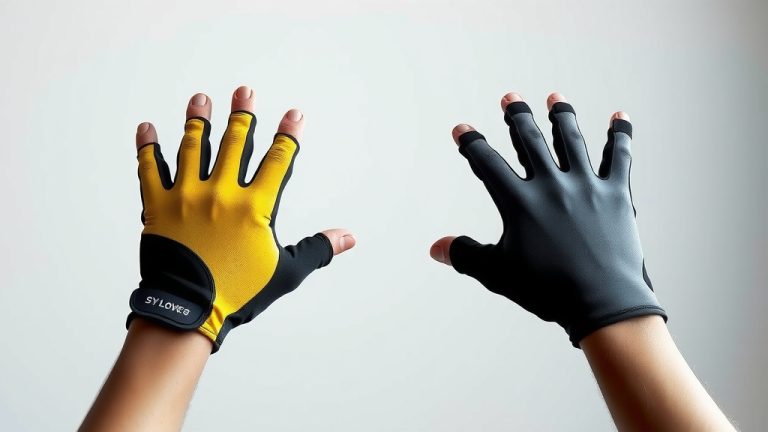
How Haptic Gloves Work: A Deep Dive
Haptic gloves work by using a combination of sensors and actuators to simulate the sense of touch. These gloves can detect your hand movements and send feedback signals to your fingers and palms. This allows you to feel virtual objects and textures, making digital interactions more immersive. They are a fascinating piece of wearable technology that bridges the gap between the virtual and physical worlds.
When you wear haptic gloves, you’re essentially equipping yourself with a device that communicates tactile information. They can translate digital data into physical sensations you can feel. This technology is quickly advancing, moving beyond simple vibrations to offer more detailed feedback. It’s a clever way to enhance your experience in virtual reality and other digital environments. Think of it as adding a whole new sense to your digital life.
- Haptic gloves use sensors to track hand movements.
- Actuators create touch sensations on your skin.
- They make virtual objects feel real.
- This technology enhances virtual reality experiences.
Let’s dive into the clever tech that makes these gloves so amazing. We’ll break down how they interpret your actions and create those surprisingly realistic feelings.
Understanding How Haptic Gloves Create Touch
So, you’re probably wondering, how do these haptic gloves actually *make* you feel things? It’s a pretty cool process that combines smart sensors with clever feedback devices. Think of it like giving your virtual hands a superpower to feel the digital world.
Sensing Your Every Move
The first job of a haptic glove is to know exactly what your hands are doing. This is where sensors come into play. Different types of sensors work together to capture every subtle movement. They track not just big gestures, but also the tiny twitches of your fingers.
Flex Sensors and Their Role
You’ll often find flex sensors sewn into the fabric of the glove. These are thin, flexible strips that change their electrical resistance as they bend. When you bend your finger, the flex sensor bends too. This change in resistance tells the glove’s internal computer how much your finger is flexed. It’s a simple, yet effective way to measure finger position.
Inertial Measurement Units (IMUs) for Orientation
To understand how your hand is oriented in space – tilting, turning, or rotating – gloves often use IMUs. These little units contain accelerometers and gyroscopes. Accelerometers detect changes in speed and gravity, while gyroscopes track rotational movement. By combining data from these, the glove gets a clear picture of your hand’s spatial orientation. This helps translate your real-world hand movements into the virtual space accurately.
Tracking Your Palm and Wrist
Beyond just your fingers, some gloves also need to know where your palm and wrist are. This can be done using additional sensors, sometimes magnetic sensors that work with a base station, or by relying on the IMU data. This provides a more complete understanding of your entire hand’s posture. It ensures that when you reach out to grab something virtual, the glove knows your whole hand is involved.
Generating the Sensation of Touch
Once the glove knows what your hands are doing, it needs to simulate what you’re touching. This is where the actuators come in. These are the components that actually create the physical feedback you feel on your skin. They’re like tiny machines that can press, vibrate, or even change temperature.
Vibrations: The Most Common Feedback
The most common type of haptic feedback you’ll find is vibration. Small motors, often called vibration motors or eccentric rotating mass (ERM) motors, are embedded in the glove. When the virtual object you’re touching has a texture or impact, these motors activate. They spin an unbalanced weight, creating that familiar buzzing sensation. The strength and pattern of the vibration can be varied to simulate different textures or impacts.
Beyond Vibration: Force Feedback
More advanced haptic gloves go beyond simple vibrations. Some use force feedback mechanisms. These can involve tiny motors that pull or push on your fingers, making it feel like you’re pushing against something solid or holding onto an object. Imagine trying to squeeze a virtual ball; force feedback could make it feel like you’re actually compressing a physical object.
Thermal Feedback for Temperature Simulation
Even more sophisticated gloves can simulate temperature. Devices called Peltier elements (or thermoelectric coolers) can be used. These small modules can rapidly heat up or cool down when an electric current is applied. This allows the glove to make a virtual object feel warm or cold. Touching an icy virtual surface could send a cooling sensation to your fingertips.
Pressure and Texture Simulation
Some systems use arrays of small pistons or pneumatic bladders. These can press against your skin in specific patterns. This allows for the simulation of detailed textures, like the roughness of sandpaper or the smoothness of silk. You might even feel the individual bumps of a surface. It’s a fascinating way to add realism to virtual interactions.
The Brains Behind the Operation
All these sensors and actuators need to work together in perfect harmony. This is managed by the glove’s internal processing unit. This is a small computer that receives data from the sensors. It then interprets that data based on what’s happening in the virtual environment. Finally, it sends signals to the actuators to create the appropriate haptic feedback.
The software running on this processor is key. It translates complex virtual interactions into simple electrical signals for the actuators. Think of it like a translator between the digital world and your sense of touch. The speed and accuracy of this processing are vital for a convincing experience. Lag can break the illusion, so these gloves are designed for quick responses.
A Checklist for Understanding Haptic Gloves:
- Sensors track your hand and finger movements.
- Flex sensors measure how much your fingers bend.
- IMUs track your hand’s orientation in 3D space.
- Actuators create physical sensations on your skin.
- Vibration motors provide common tactile feedback.
- Advanced gloves can offer force, temperature, and pressure feedback.
Conclusion
You’ve now seen how haptic gloves work, combining sensors and actuators to bring touch to your digital experiences. They track your movements with sensors like flex sensors and IMUs. Then, actuators create sensations like vibrations, force, or even temperature. This technology truly enhances how you interact with virtual environments. If you’re curious to experience this yourself, consider looking into VR setups that include haptic gloves as an accessory. You might be surprised by how much more immersive your virtual adventures become!
Frequently Asked Questions
Are haptic gloves comfortable to wear for long periods?
Comfort varies greatly depending on the specific glove model and its design. Some gloves are made with breathable fabrics and ergonomic designs for extended use. Others might feel bulkier or warmer, making longer sessions less comfortable.
Can haptic gloves work with any virtual reality system?
Compatibility can be a factor. Most haptic gloves are designed to work with specific VR platforms or have their own software. You’ll want to check the product’s specifications to ensure it’s compatible with your VR headset and preferred applications.
How accurate are the touch sensations from haptic gloves?
The accuracy of touch sensations is rapidly improving. Basic gloves offer vibrations for impact, while more advanced models can simulate textures and pressure with greater detail. Research and found that realism depends on the number and type of actuators used.
What are the main applications for haptic gloves besides gaming?
Haptic gloves have applications in training simulations, remote surgery, product design, and even therapy. They allow professionals to feel and manipulate virtual objects, offering practical benefits beyond entertainment.
Do haptic gloves require a lot of setup or calibration?
Setup complexity varies by brand. Some gloves are plug-and-play, while others might require calibration steps to accurately map your hand movements. Always refer to the manufacturer’s instructions for the best experience.


![10 Best Armored Gloves [2026]](https://gloveseasy.com/wp-content/uploads/2026/09/10-best-armored-gloves-2026-featured-768x432.jpg)